Create new chatbots
How to create chatbots
Chatbot Management
How to create a chatbots
- Click the "Chatbots" menu
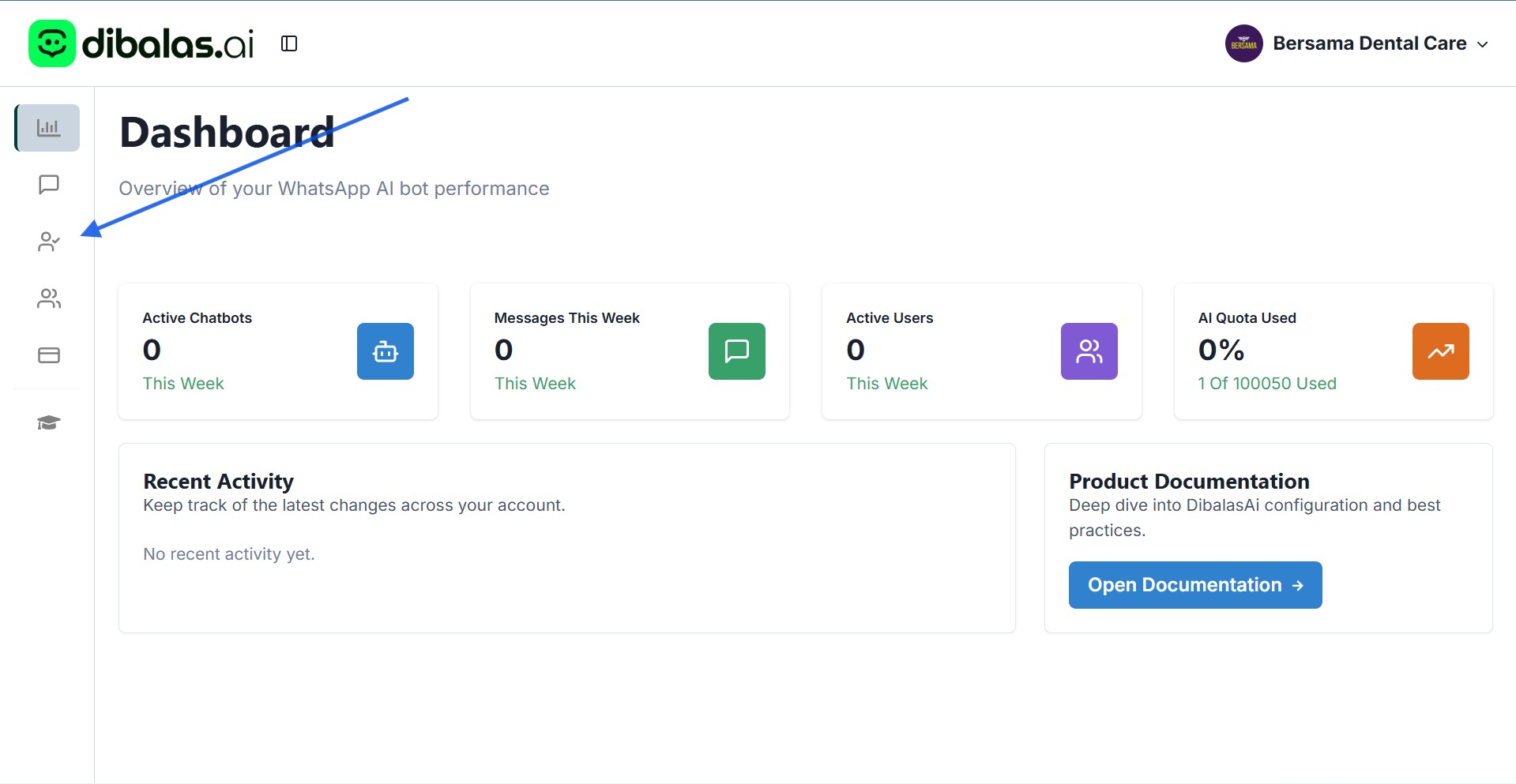
- You will see a “Create New AI Chatbot” button.
Please note that only team owners can view and use this button to create a new AI agent. Team members do not have access to add or create AI agents.
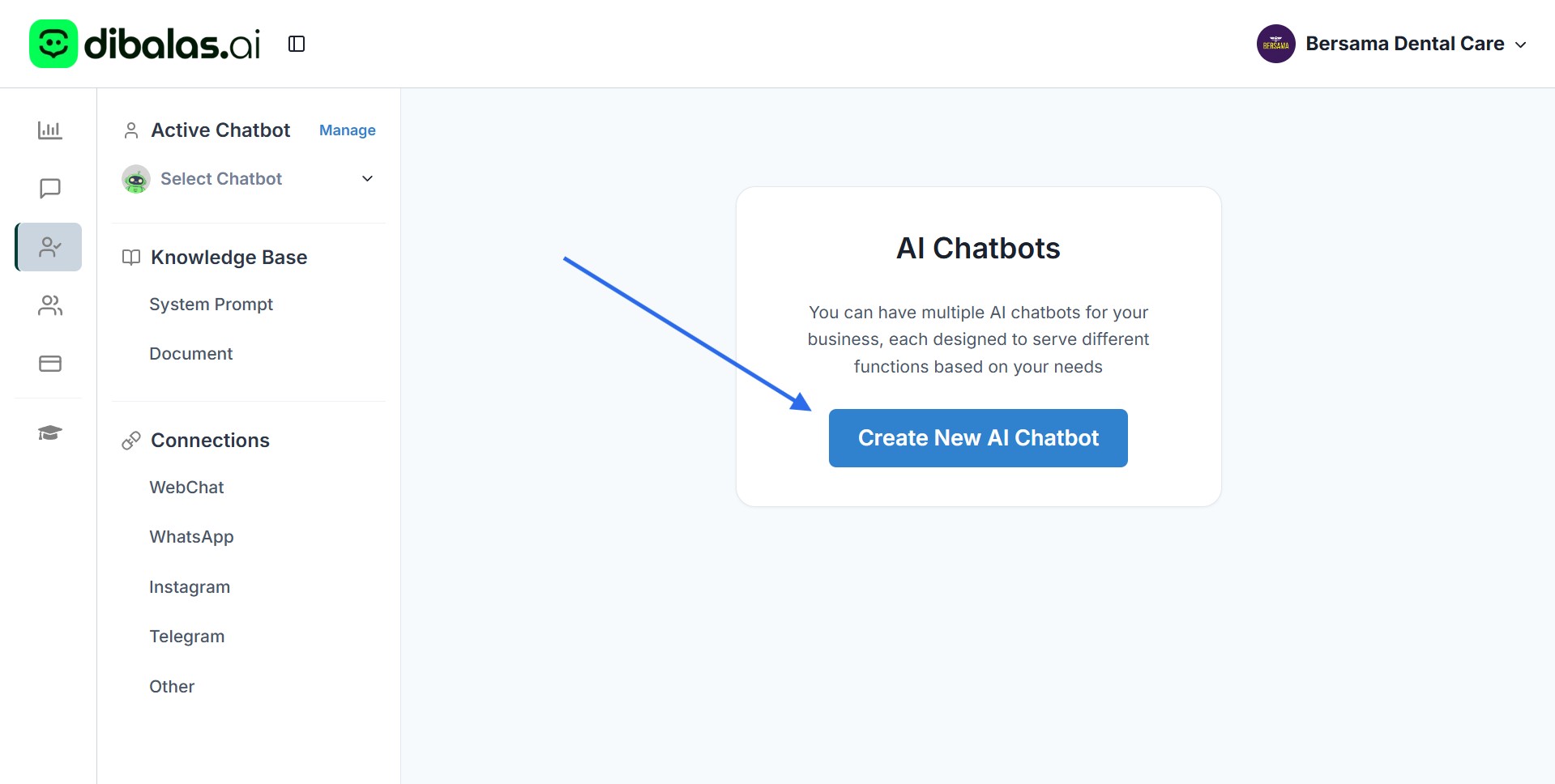
Click the “Create New AI Chatbot” button to start the process of adding a new AI agent.
-
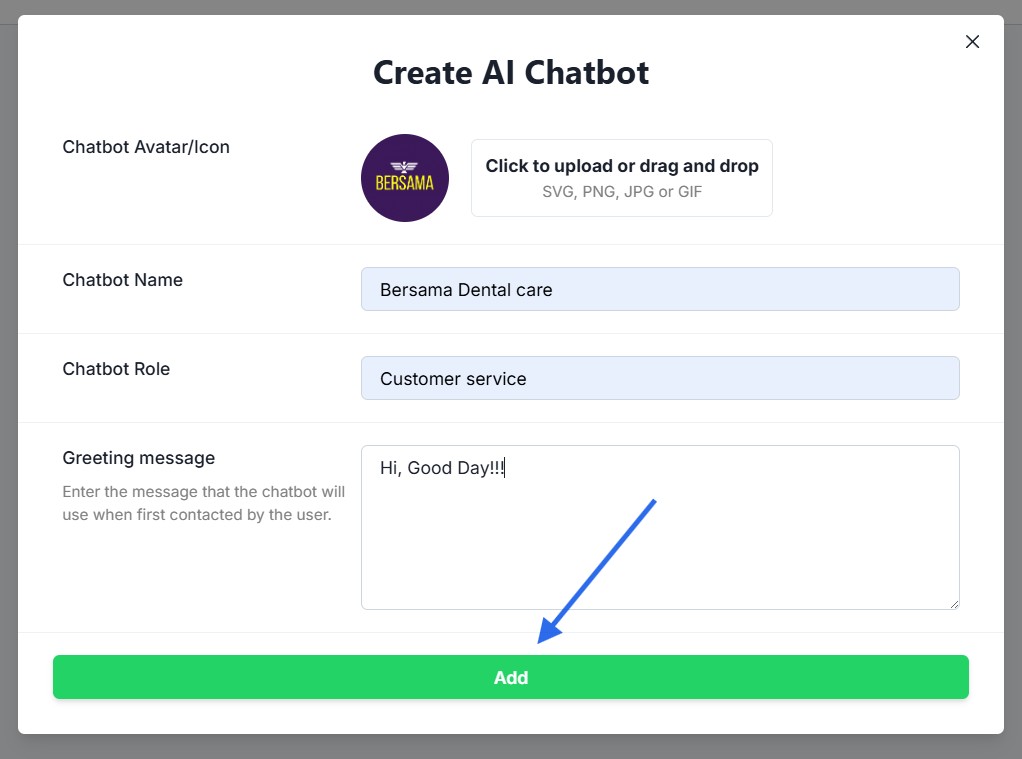
Upload a photo or avatar for the agent. Make sure the photo you upload meets the requirements.
-
Enter the chatbot name — you can use your business name if you’d like.
-
Enter the chatbot description.
-
Enter a greeting message. This message will automatically appear as the opening message when a user starts a conversation with the chatbot.
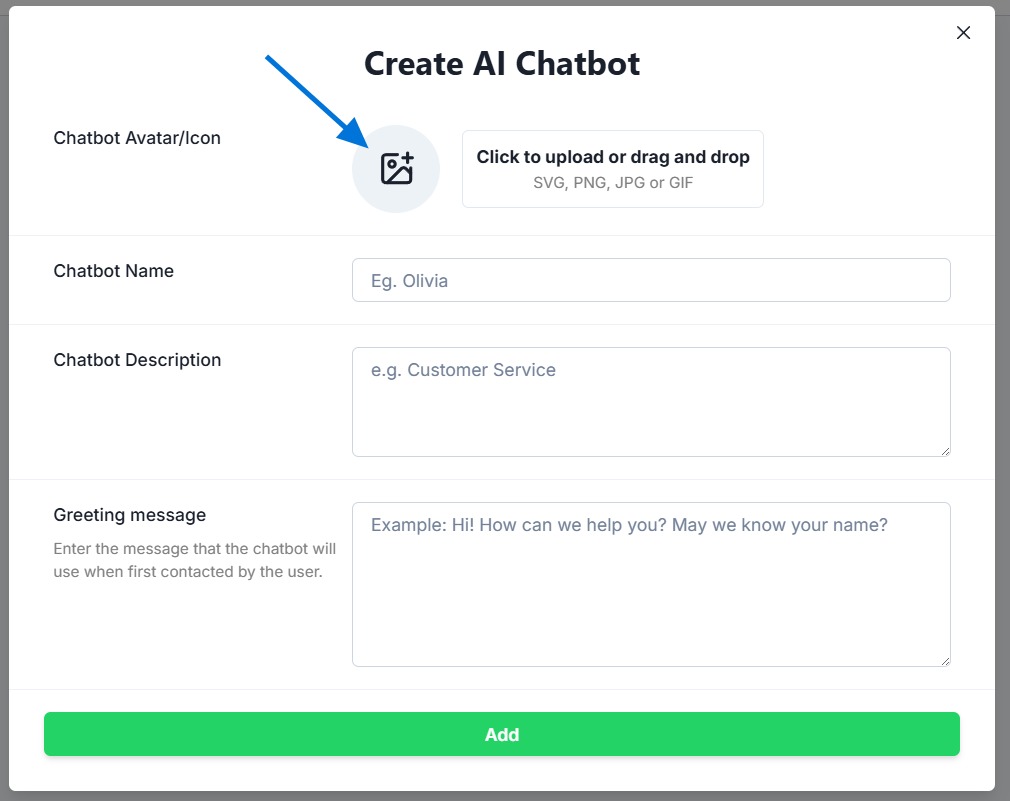
- Tap “Add” to add a chatbot.
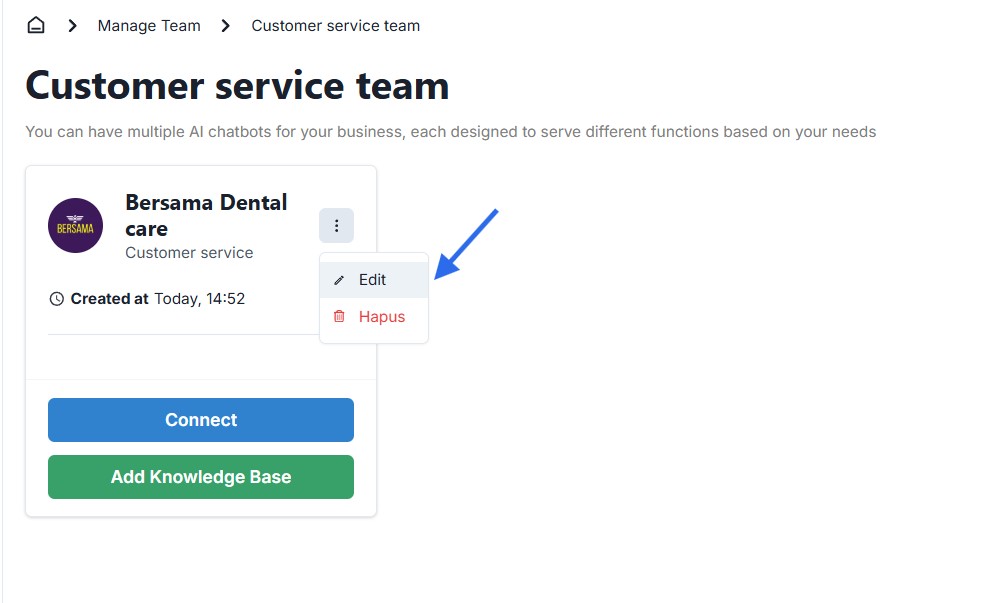
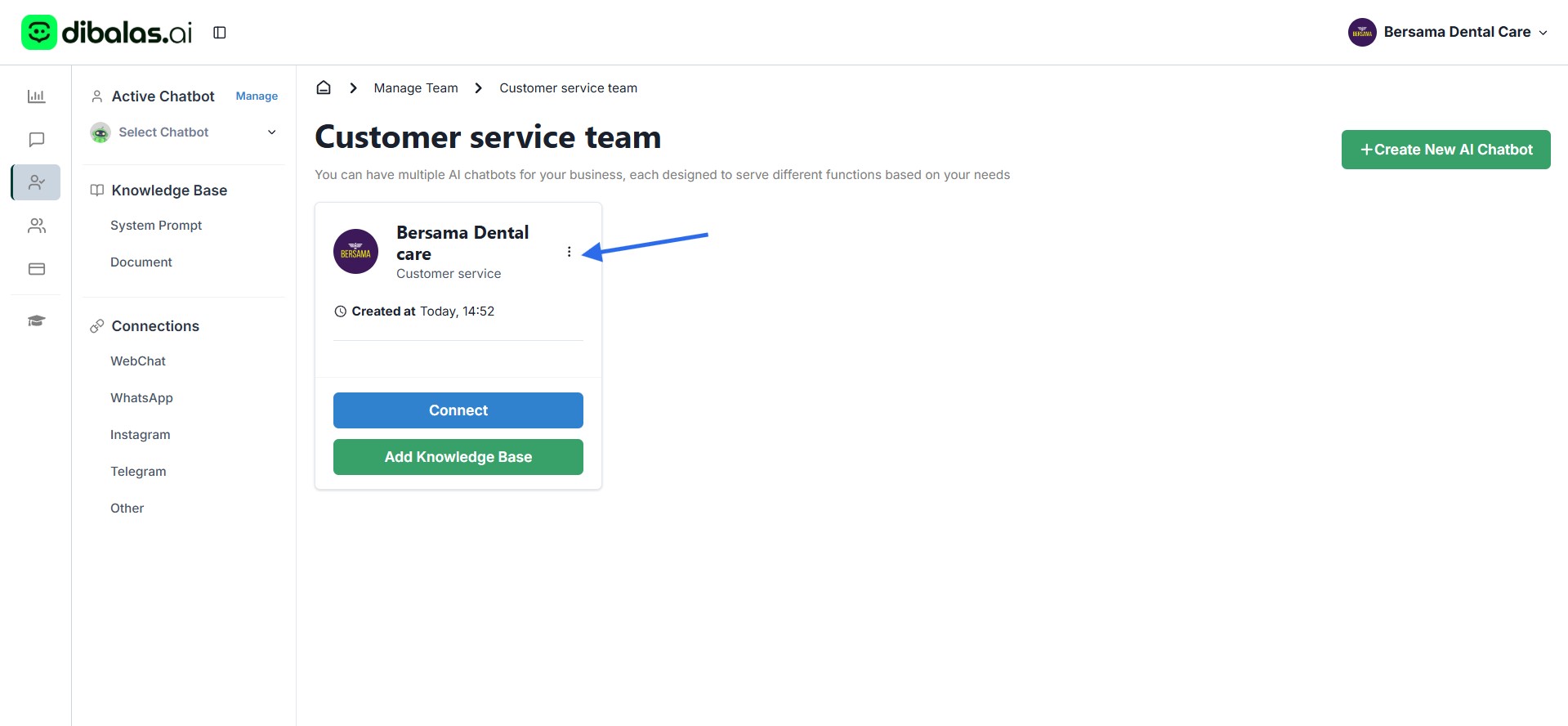
- Below is the display you will see after successfully adding a new chatbot.
To edit the details of your agent, tap the three-dot icon as shown below.
Delete and update chatbots
Tap “Delete” to remove the AI agent.
Tap “Edit” to change the agent’s details.